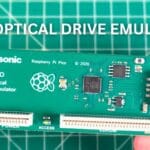
A fairly quick video to check out the 3DO Optical Drive Emulator for FZ-01 model. An optical drive emulator that essentially replaces the CD drive of the 3DO and lets you run CD images from either a USB drive or SD card.
3DO Optical Drive Emulator Review Video
This ODE is quite straightforward, connecting via the two ribbon cables that are used to connect the original CD drive. We will set up the USB drive, a brief install and then see how well it works.


Let’s start with setting up the USB drive. Depending on how many games you have backed up, a 64GB one will do all the half decent ones, or a 128GB will do the majority. Guides mention the FAT32 format is supported, I tried with mine and only EXFAT seemed to be recognised, with this ODE at least.


You need to download the boot.iso from Fixels Github page. I have tried with .CUE/.BIN files as well as .ISO files if you are using those. Keep the games in their respective folders as it’s a bit easier to navigate. Once you have copied over the files you are ready to go.
Getting into the 3DO requires you to remove just four standard screws. Then afterwards, flip it over and take off the top.

There is a shield that you need to unclip and remove to gain access to the back of the CD drive where the connectors are.

The great thing with this optical drive emulator is that you don’t need to remove the CD drive, and in turn not have the drives front panel missing either. The ODE can fit on the back and there is no need to remove anything.

I put some kapton tape around the ODE as it will be in contact with the CD housing. The USB drive and two ribbons cables can now be connected, and placed on the back of the drive housing.

And that’s pretty much it. Probably the easiest ODE you can install.

It takes just a few moments to refit the shield, place the top back on and put in all the screws. Let’s get it powered up and see how well it works.
It takes a couple of seconds to boot up. You may notice the top of the screen is cut off. This looks to be due to the menu being in NTSC on a PAL model and its using the overscan area. You don’t miss anything at the top so it’s not a big deal.
On the left side is a list of what the buttons do, and on the right is the file browser. To start a game simply highlight the file and press the C button to select and boot it straight away.

If you have been running games from the CD you will likely notice that the ODE is noticeably faster when loading data. It won’t make games run faster, but the actual loading process will be. You can double tap the eject button to return back to the ODE menu.
A useful disc queuing feature is supported and lets you select up to sixteen disc images. Simply highlight a disc image, add it to the queue and repeat as needed. This could be useful for multi-disc games like Wing Commander, or just any random games to play one after another. When you want to change to the next disc image in the queue, tap the Eject button once.

Going into the menu provides a few useful options. You can first access the internal storage manager for the save data. You can remove saves to free up some space on the internal storage. You can also save and restore the NVRAM to the USB drive which is handy simply for backup purposes, but also means you can have multiple NVRAM files if playing many games.

I tried a bunch of games and all worked as they should. The loading speed increases were definitely noticeable which is a big plus point as the original CD drive was very slow. Also loading from an ODE eliminates the wear on tear on the original drive.
Overall the ODE, costing around £30-£40, is an excellent addition for anyone’s 3DO. It takes less than 15 minutes to install, requires no soldering and also keeps the original CD drive in place meaning you wont have the drive tray front panel missing.


There are not really any negative points with the hardware. Whether or not it will be firmware updateable is anyone’s guess, but probably not. Considering no updates have been out for a few years and it already works very well, it’s not a major concern at this price point.
The 3DO Optical Drive Emulator for FZ-01 gets a big thumbs up from me.